Find the recording without knowing the folder path
Search RF recordings by the details engineers usually remember: frequency, location, time, format, collection event, or custom metadata.
Draw to Search
Draw a polygon, rectangle, or circle on the map, then combine that area with frequency ranges, time windows, and other metadata filters.
- PostGIS-backed spatial indexing for location searches
- Filter by collection point, mission area, or custom AOI
- Combine location with frequency, time, and signal parameters
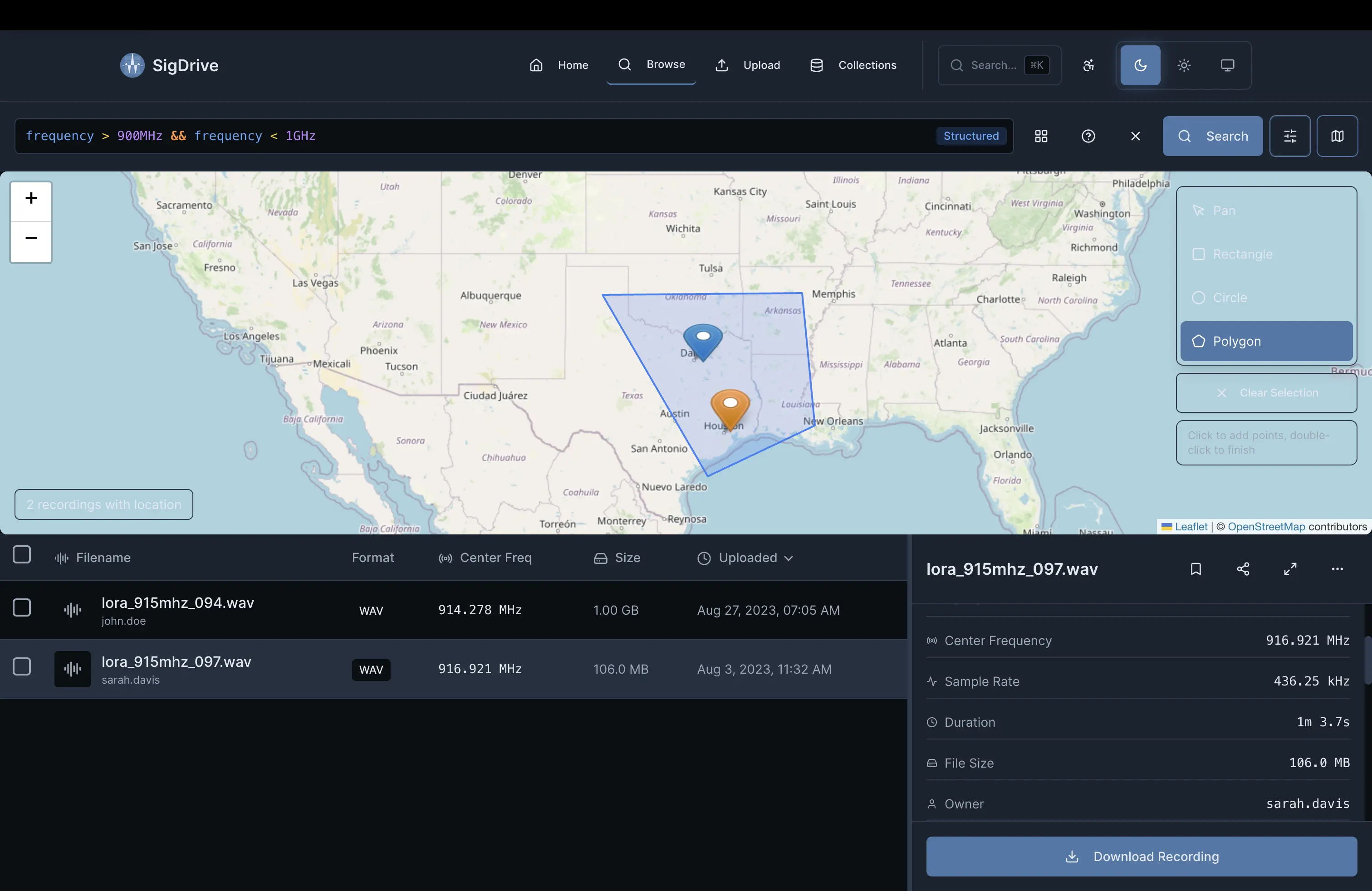
Find all SigMF or WAV recordings above 1 GHz, longer than 60 seconds, captured in the San Francisco Bay Area.
Query Capabilities
Turn old recordings into searchable records tied to useful RF metadata.
Parametric Search
Query by frequency range, sample rate, bandwidth, modulation type, or any metadata field attached to the recording.
Geospatial Queries
PostGIS-backed location search. Draw a bounding box or polygon to find recordings captured in a region.
Temporal Filtering
Filter by capture date, duration, or time of day, then compare recordings across time windows.
Complex Boolean Logic
Combine filters with AND, OR, and NOT operators for searches such as frequency range plus location plus capture date.
Saved Queries & Collections
Save common searches and organize recordings into collections for projects, missions, or research datasets.
Full-Text Search
Search filenames, annotations, notes, and extracted metadata. Find that recording you remember from three years ago.
See Search in Action
See how search works across an RF data archive.